Home
Parking Lots Parking Lot Software License Plate Recognition (LPR) Boom Barriers and Vehicle Barriers Ticket Machines Automated Pay Station
Access Control Pedestrian Access Control Visitor Control Proprietary Intercom Turnstiles and Doors Facial Recognition
Company Blog About Us Contact Support / Requests & Complaints Academy · Get Certified in CIWS ↗
Request a Quote →

Automated Pay Station: interactive, customizable, and with multiple payment methods.

Self-service terminal with a 32-inch touchscreen, customizable with the parking lot's brand. Accepts cash with change, debit and credit card, and digital payment, issues DIAN e-invoicing, and integrates natively with the CIWS platform. Operates continuously, without an operator.

32" TouchscreenRecycles bills and coinsIntegrated card readerQR and digital paymentDIAN InvoiceVideo of each transaction24/7 without operator
What it solves

Continuous collection,
without cashier shifts.

The charge no longer depends on a schedule or a person: the station invoices at any time and each transaction is supported.

Operates 24 hours

Nights, Sundays, and holidays without paying a shift. The parking lot charges the same at three in the morning.

Verifiable reconciliation

Each transaction saves its video with what was invoiced, received, and returned. The difference is seen, not debated.

Invoice on the spot

DIAN e-invoicing or equivalent document from the same transaction.

Less waiting

The customer pays while walking to the car, not at the exit with the barrier down.

How it works

A
simple and user-friendly. payment process

Four steps on the touchscreen, with voice guidance at each one. The customer pays before reaching the lane, keeping the exit clear.

1

Present the ticket

Or scan the QR. If the parking lot has license plate recognition, enter the plate number.

2

See the total

The screen shows the duration of stay and the amount to pay.

3

Pay

Cash with change, debit or credit card, or digital payment, as enabled.

4

Exit

The barrier verifies the payment and opens the lane.

Self-service with on-screen and voice guidance

The station guides each step on the screen and aloud. The customer pays standing, in the lobby or in the lane, before reaching the vehicle.
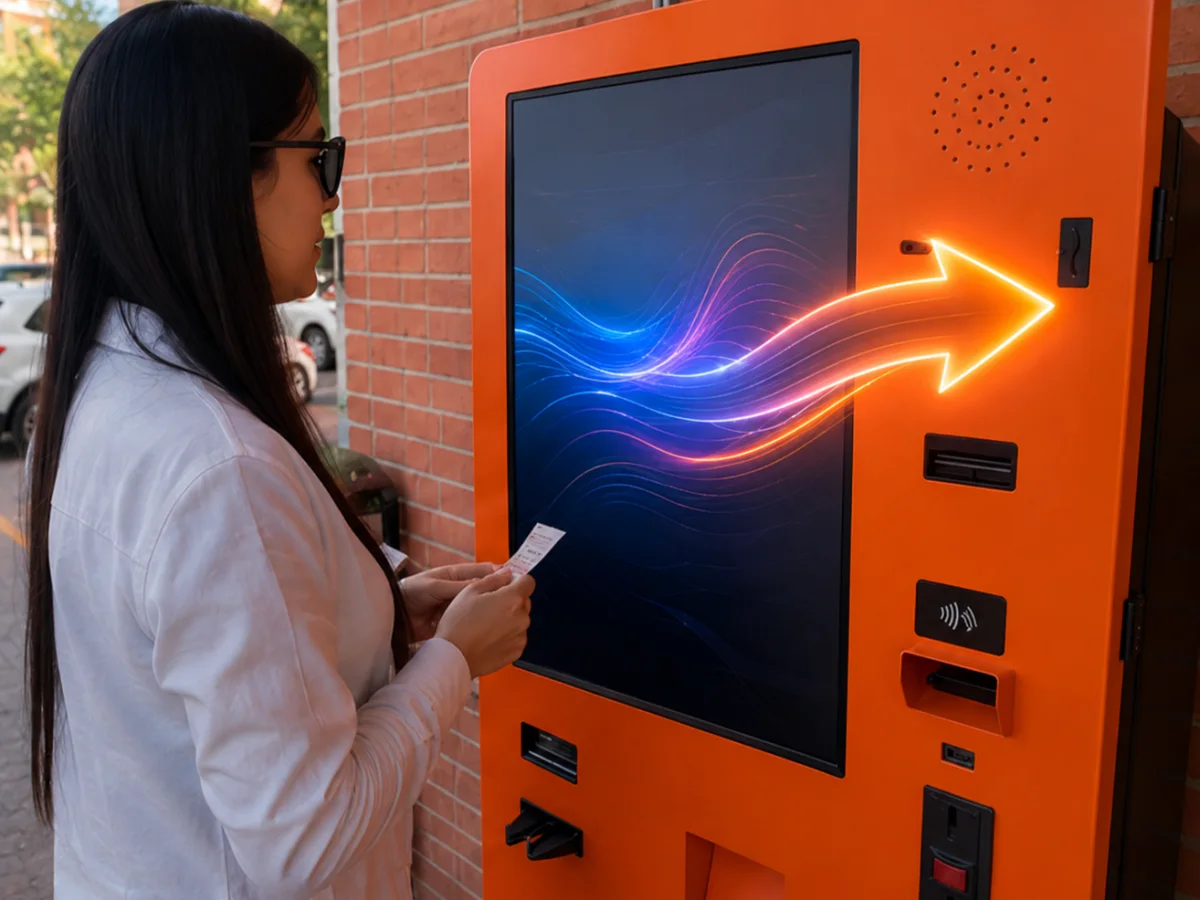
32" Touchscreen large text, readable standing and in full light.
Voice guidance accompanies each step for those who have never used a pay station.
Ticket slot and QR reader both means of identifying the transaction.
Customizable logo, colors, and parking lot video on the waiting screen.
Customer paying at the CIWS automated pay station with her ticket in hand
Self-service payment: ticket, total on screen, and payment method of choice.
Payment methods

Cash, card
and digital payment.

The parking lot decides which to enable. Each transaction records the payment method used, so reconciliation distinguishes cash from card without guessing.

Cash, with change

Bills and coins. Receives, validates, counts, and returns change. Cash levels are monitored from the software.

Debit and credit card

With integrated card reader. Each payment records the approval number, card brand, and RRN with the transaction.

QR and digital payment

Via gateway, for those who no longer carry cash or want to use a card.

Invoice on the spot

DIAN e-invoicing or equivalent document issued from the same transaction. Printed right there.

Traceability

Each transaction is recorded
with its video and figures.

Invoiced, received, and returned, along with the video of the payment moment. A claim is resolved by consulting the evidence, not reconstructing the shift.

Transaction video

The transaction saves the video of the payment moment along with the figures: total invoiced, received, returned, and any shortage. Accessible from the transaction details.

Invoiced / received / returned all three figures, on the same screen.
Payment video saved with the transaction, not in a separate folder.
Shortages if the machine didn't return the full change, it's recorded.
Collection report entered against money not returned, by time slot.
Transaction detail from the pay station with the video of the payment moment
Transaction details: figures and payment video.
Inside

Industrial components
high performance.

A machine that receives money from strangers at three in the morning is not built with desktop parts. These are the components, with name and reference.

What's inside

Bill and coin RECYCLERS, not just acceptors. The difference is money: the bill that comes in is stored to give as change instead of falling into a box that no one empties until the next day. That's why the machine runs out of change much less often, and that's why it needs to be refilled less frequently.

NV4000 bill recycler accepts, validates, dispenses, and recycles bills of up to 4 denominations.
SMART Hopper coin recycler receives and recycles coins, optimizing available change.
Integrated card reader certified for debit and credit in the same transaction.
Industrial PC with no moving parts, designed to work without shutting down.
Backup UPS withstands power outages and restarts the system only when power returns.
32" touch screen with parking lot branding: logo, colors, and video.
Internal components of the CIWS automated pay station: bill recycler, coin recycler, industrial PC, card reader, and UPS.
Industrial components designed for continuous use.
Unattended operation

Robust system with real-time
error and fault monitoring.

The software continuously monitors the station's devices—bill recycler, coin recycler, card reader, and printer—and acts on them when it detects a fault. This allows the machine to operate without anyone nearby.

Monitors its own hardware

The system constantly checks the bill and coin recyclers. If one jams or loses communication, it detects, restarts, and brings it back online without anyone intervening.

If a payment method is missing, it doesn't offer it

If the bill recycler runs out of change, the screen stops offering cash instead of accepting money and then being unable to give change. The customer pays with a card and continues.

Voice guidance

The machine guides the customer through each step. For those who have never used one of these kiosks—which are many—it makes the difference between paying and going back to find the attendant.

What it integrates with

Equipment that complements
the solution.

The pay station is the collection point. These are the devices it works with on the same platform.

Questions

About the
automated pay station.

What payment methods does it accept?
Cash with change, debit and credit card, and digital payment via gateway. The parking lot decides which to enable.
Does it give change in cash?
Yes. The machine accepts bills and coins and provides change. The level of available cash is controlled from the software.
Does it issue electronic invoices?
Yes, electronic invoices and equivalent documents to the DIAN, issued from the same transaction. No need to enter anything afterward.
How do you know the money received matches the report?
Each transaction saves the video of the payment moment along with what was invoiced, received, and returned. Reconciliation is verified by viewing, not trusting.
Do I need an operator nearby?
Not for operation. Yes, to collect cash according to the frequency defined by the parking lot, and to handle exceptional cases. The machine operates 24 hours.
What size is the screen?
32-inch touch screen, designed to be read standing from the car or walking, and to display the parking lot's branding.
What happens when it runs out of change?
It happens much less than you might think because the bill and coin acceptors are RECYCLERS: the bill it receives is stored to give as change, instead of sending it to a box that no one opens until the next day. And if it still runs short, the screen stops offering cash instead of taking the money and then not being able to return it: the customer pays with a card and continues.
What if the bill acceptor jams on a Sunday?
The system constantly monitors its own devices. When one loses communication or jams, it detects it, restarts it, and brings it back online without anyone having to go. Only if it can't recover it, does it disable that payment method and continue charging with the others.
Do people know how to use it?
The machine guides you with voice prompts at each step, in addition to displaying instructions on the screen. For those who have never used one of these kiosks—which are still many—that's the difference between paying and going back to find the doorman.
What happens if the power goes out?
It has a backup UPS: it withstands power outages, and when power returns, the system restarts automatically. No one needs to go and turn it on.
Is there a record of card payments?
Yes. Each payment with the card reader is stored along with the transaction, approval number, franchise, and RRN. When you need to dispute something with the bank, the information is available.
Next step

How much do you collect today and how much does the cash shift cost you?

With these two figures, we tell you how long it takes for the kiosk to pay for itself in your parking lot. If it doesn't pay for itself, we'll tell you that too.